Add Recipients to a Task
Task recipients are the users and groups who receive the reports distributed by a task. Each recipient can be granted access to the distribution email, the Qalyptus Hub, or both.
Add Recipients
- Go to Tasks and open the desired task.
- Go to the Recipients tab.
- Click Add recipients.
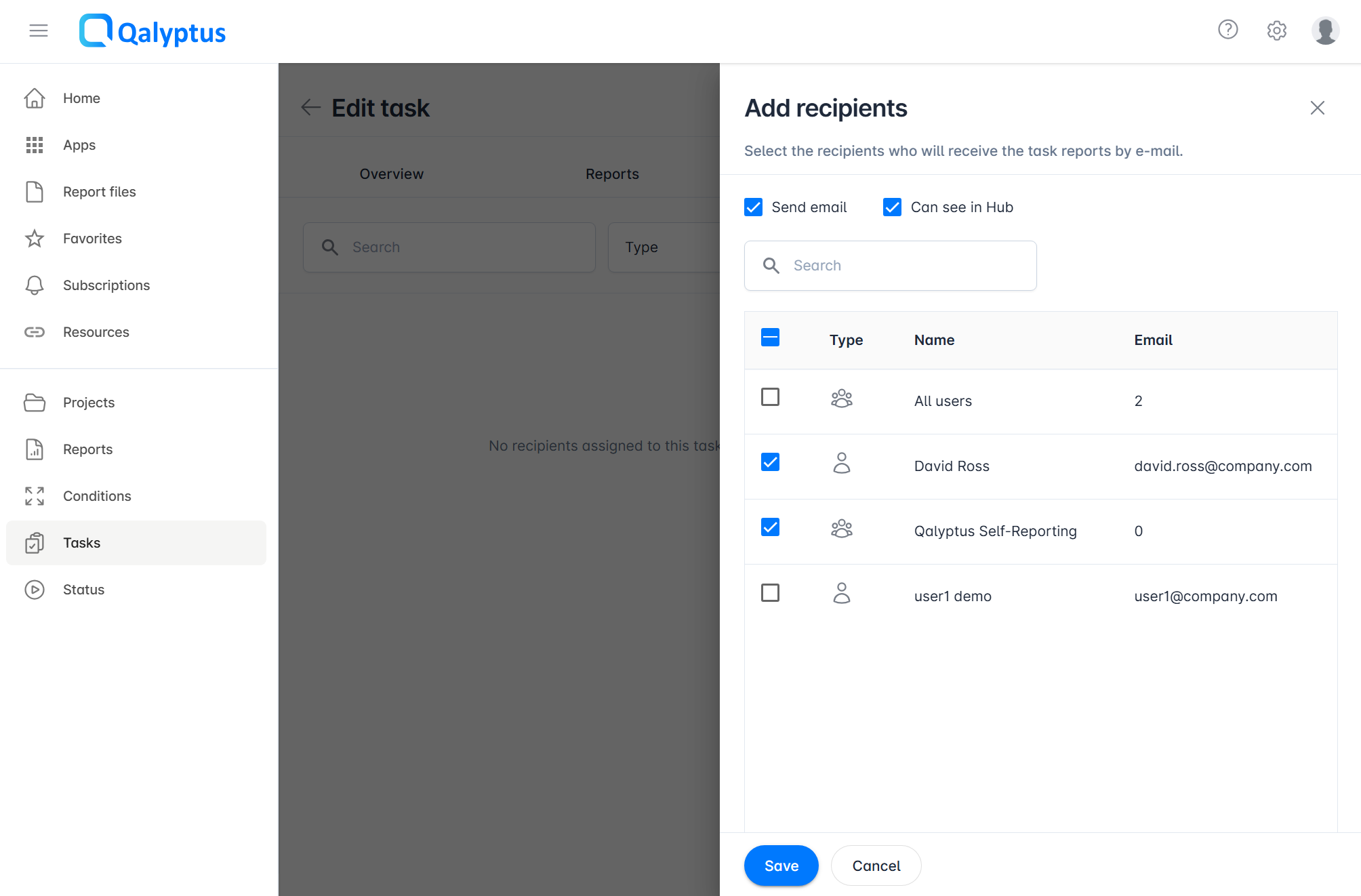
- Select one or more users or groups.
- Configure the recipient's permissions:
- Send email: The recipient receives the distribution email.
- Can see in Hub: The recipient can view the report files in Qalyptus Hub.
- Click Save.
Recipients and Iteration Reports
Users and groups added in the Recipients tab receive all files generated by the task. For iteration reports that produce multiple files (one per dimension value), every recipient receives every file.
tip
To send specific files to specific users, use dynamic recipients in the Iteration tab of the task report. This lets you assign recipients per iteration value using a Qlik Sense variable, so each user receives only the file relevant to them.
Learn more about distributing iteration reports to different recipients