Conditions
Conditions allow you to control whether a report is generated during task execution. When a condition is assigned to a report in a task, Qalyptus evaluates it at runtime and only generates the report if all defined rules are satisfied. If the condition is not met, the report generation is skipped.
For reports that use iteration, you can choose whether the condition is evaluated once before the report generation begins, or individually for each iteration value.
How Conditions Work
A condition is composed of one or more rules. All rules must be satisfied for the condition to pass; they are combined with an AND operator. If any rule fails, the report is not generated.
Each rule connects to a data source via a project connection and evaluates a comparison, such as a variable against a threshold or a KPI against a Qlik expression result.
Creating a Condition
Step 1: Create the condition
- Navigate to Conditions
- Click Create condition
- Enter a Name
- Optionally enter a Description
- Select a Project to associate the condition with
- Click Save
Step 2: Add rules
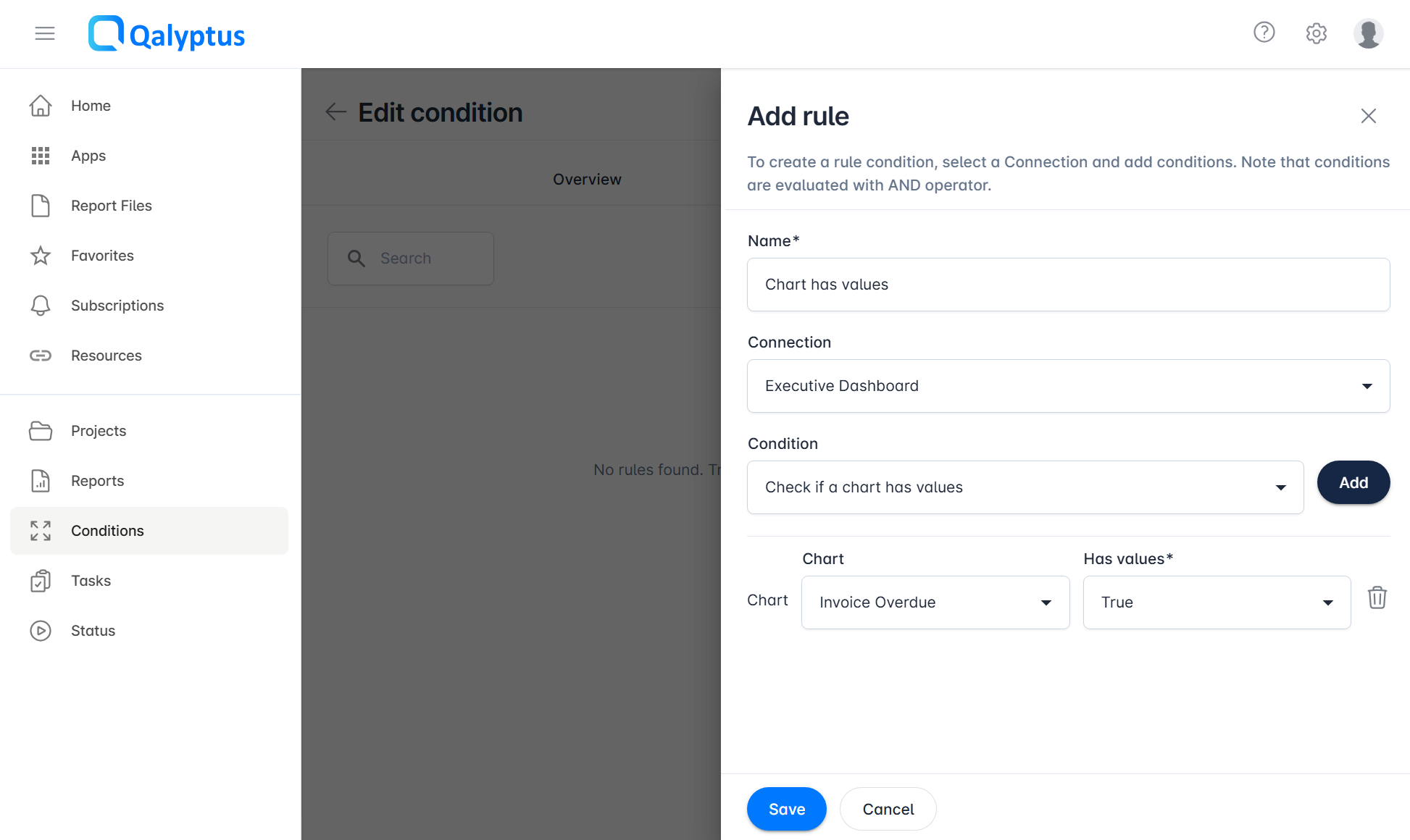
After saving, go to the Rules tab and define the evaluation logic:
- Click Add rule
- Enter a Name for the rule
- Select a Connection to use as the data source
- Define the comparison for the rule (see supported types below)
- Click Save
Repeat to add additional rules. All rules must pass for the condition to be satisfied.
Rule Types
Each rule evaluates a comparison between two values. The following comparison types are supported:
| Rule type | Description |
|---|---|
| Variable vs. custom value | Compare a Qlik variable to a fixed value you define |
| Variable vs. Qlik expression | Compare a Qlik variable to the result of a Qlik expression (must start with =) |
| Variable vs. variable | Compare two Qlik variables against each other |
| Chart data check | Check whether a specific chart contains data or is empty |
| KPI vs. custom value | Compare a Qlik KPI to a fixed value you define |
| KPI vs. Qlik expression | Compare a Qlik KPI to the result of a Qlik expression (must start with =) |
| KPI vs. variable | Compare a Qlik KPI to a Qlik variable |
Assigning a Condition to a Report
Once created, a condition can be assigned to a report inside a task. See Tasks for details on how to configure report-level conditions within a task.