Add Conditions to a Task
Conditions let you control whether a report is generated during a task run. If the assigned conditions are not met, Qalyptus skips generation for that report.
Conditions must be created before they can be assigned to a task report. See Conditions for details.
Add a Condition to a Report
- Go to Tasks and open the desired task.
- Go to the Reports tab.
- Edit the target report.
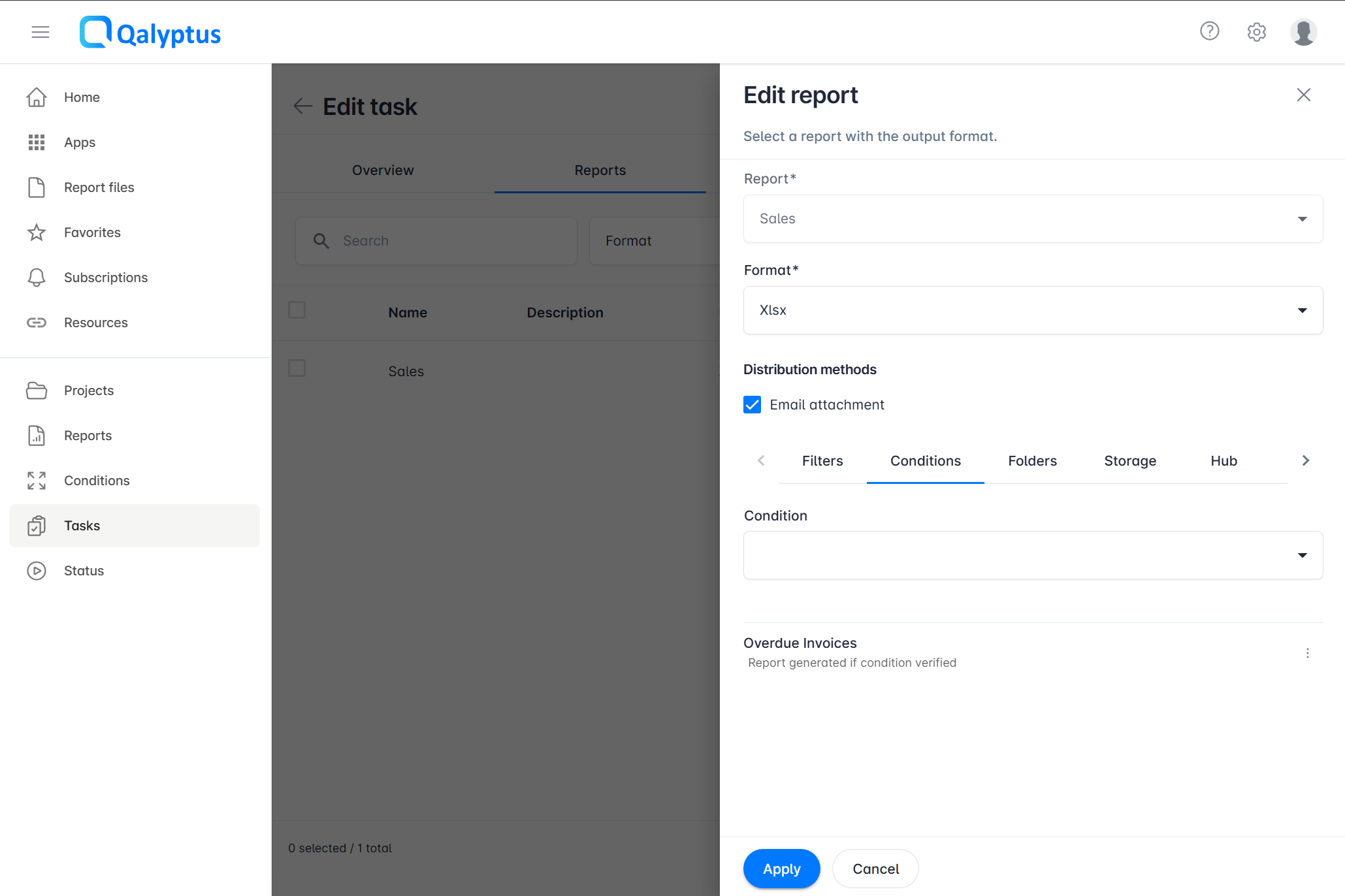
- Navigate to the Conditions tab.
- Select and add one or more conditions.
- Click Save.
If the conditions are not satisfied when the task runs, report generation is skipped. If no report is generated at all, the task completes with a Warning status.
Configure the Expected Condition Outcome
By default, a report is generated when its assigned condition is Verified (i.e., all rules pass). You can change this so that the report is generated when the condition is Not Verified instead.
This is useful when you want to generate a report only in exceptional or alerting scenarios — for example, when a KPI falls below a threshold.
To change the expected outcome for a condition:
- In the report's Conditions tab, open the action menu on the condition you want to configure.
- Select Generate if not verified to generate the report when the condition fails, or Generate if verified to restore the default behavior.
The current parameter is displayed under each condition in the list.
Conditions for Iteration Reports
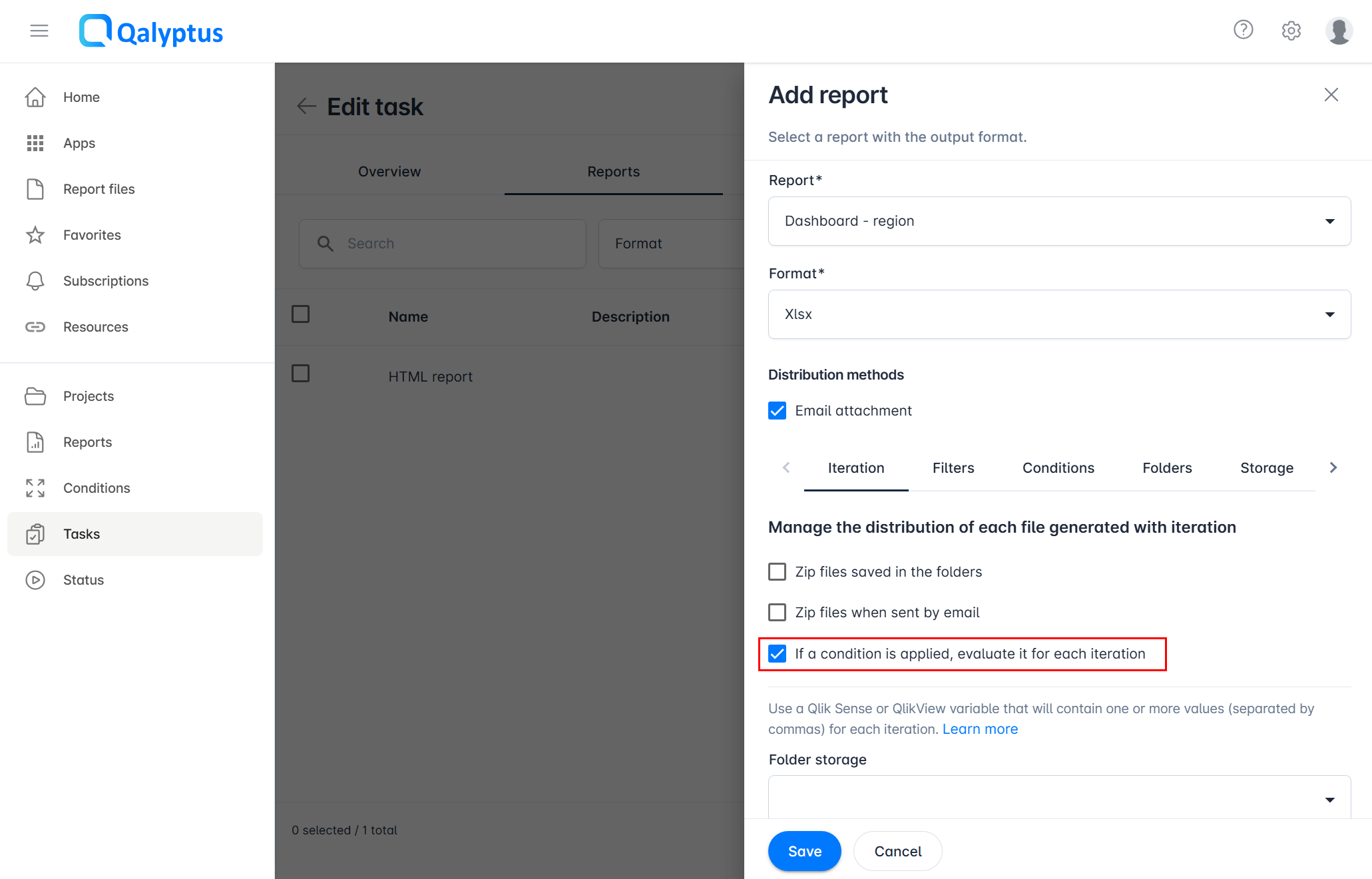
For iteration reports that produce multiple files, you can choose when Qalyptus evaluates the condition:
- Once before generation starts (default): The condition is evaluated once. If it fails, the entire iteration is skipped.
- Before each iteration: The condition is evaluated individually for each iteration. Files whose condition fails are skipped; others are still generated.
To enable per-iteration evaluation, in the report's Iteration tab, enable If a condition is applied, evaluate it for each iteration.