Hub Themes
Qalyptus Server ships with a built-in default theme. You can create additional custom themes to apply your organization's branding, including colors, logos, and display mode, and assign different themes to different organizations.
Enterprise Feature
The Themes feature is only available with Qalyptus Server Enterprise.
The default theme cannot be edited or deleted.
Creating a Custom Theme
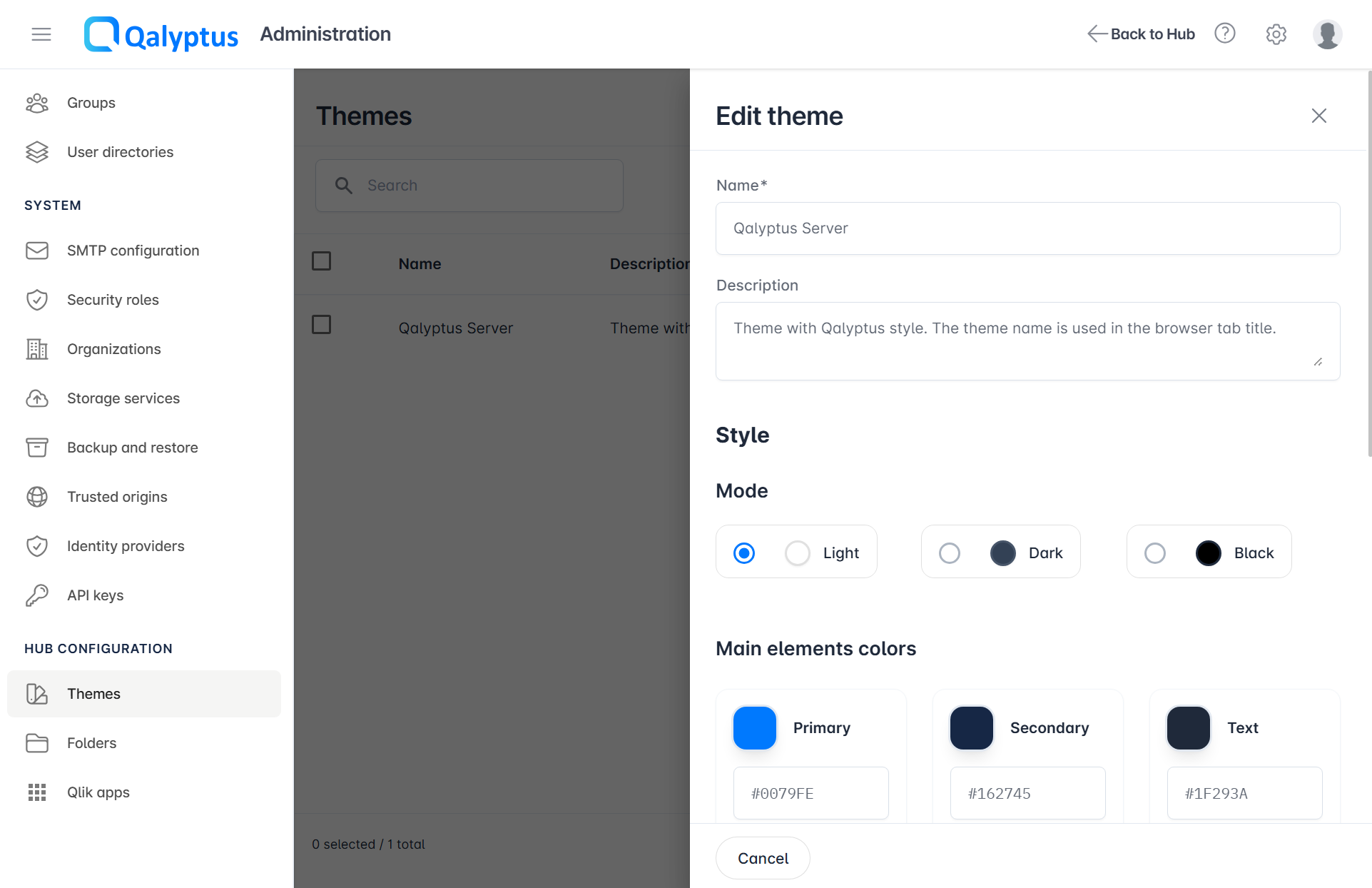
- Go to Administration > Hub Configuration > Themes
- Click Create Theme
- Enter a Name; this will also appear as the browser tab title
- Enter a Description (optional)
- Select a Mode: Light, Dark, or Black; this sets the background color style
- Define your preferred colors for primary elements
- Upload a Logo and Favicon image
- Click Preview to temporarily apply the theme and review the result
- Click Save
- Refresh the page to clear the temporary preview
Applying a Theme to an Organization
Themes are assigned at the organization level. Each organization can have its own distinct theme.
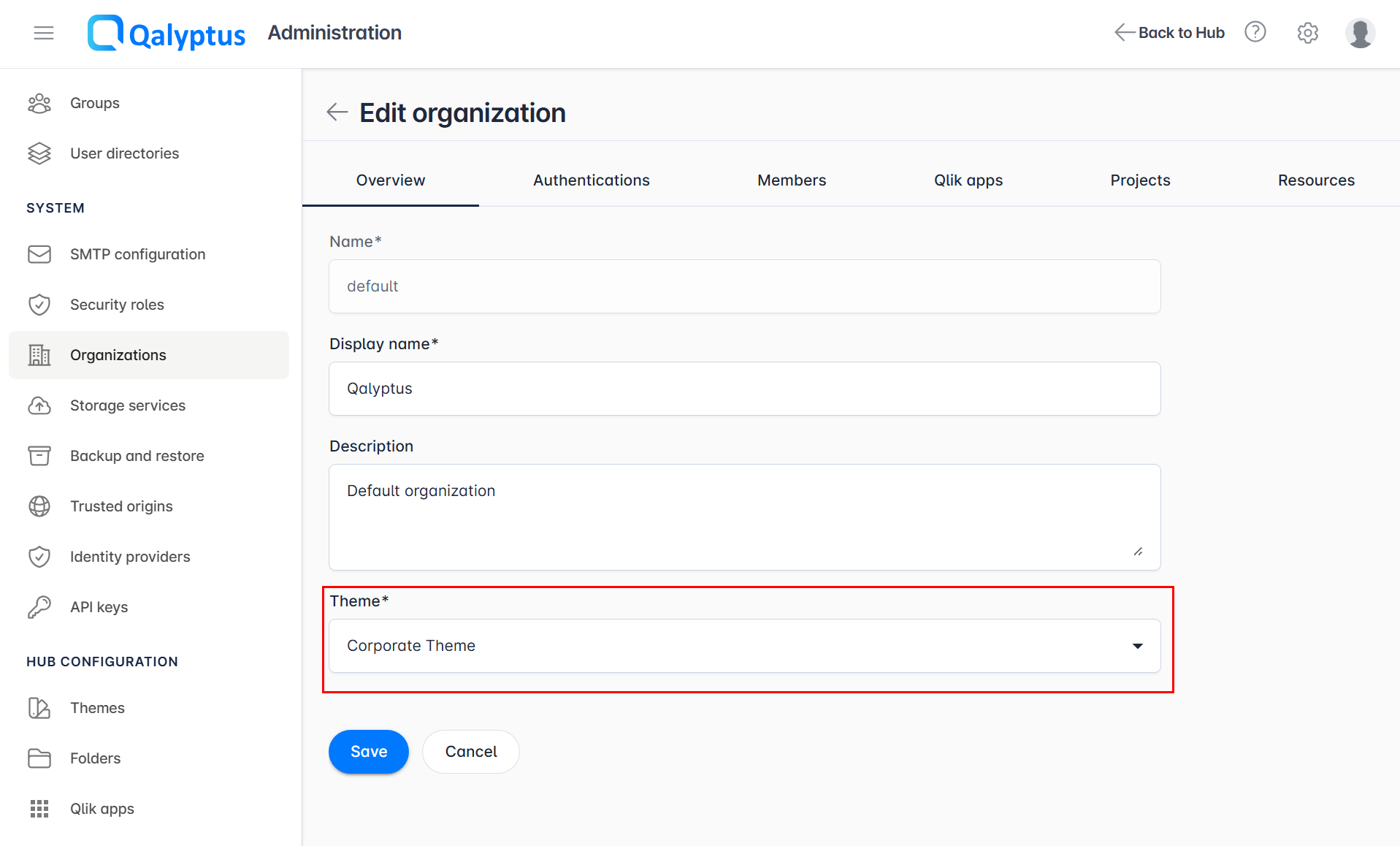
- Go to Administration > System > Organizations
- Edit the target organization
- In the Overview tab, select the desired theme
- Click Save
Setting the Default Theme
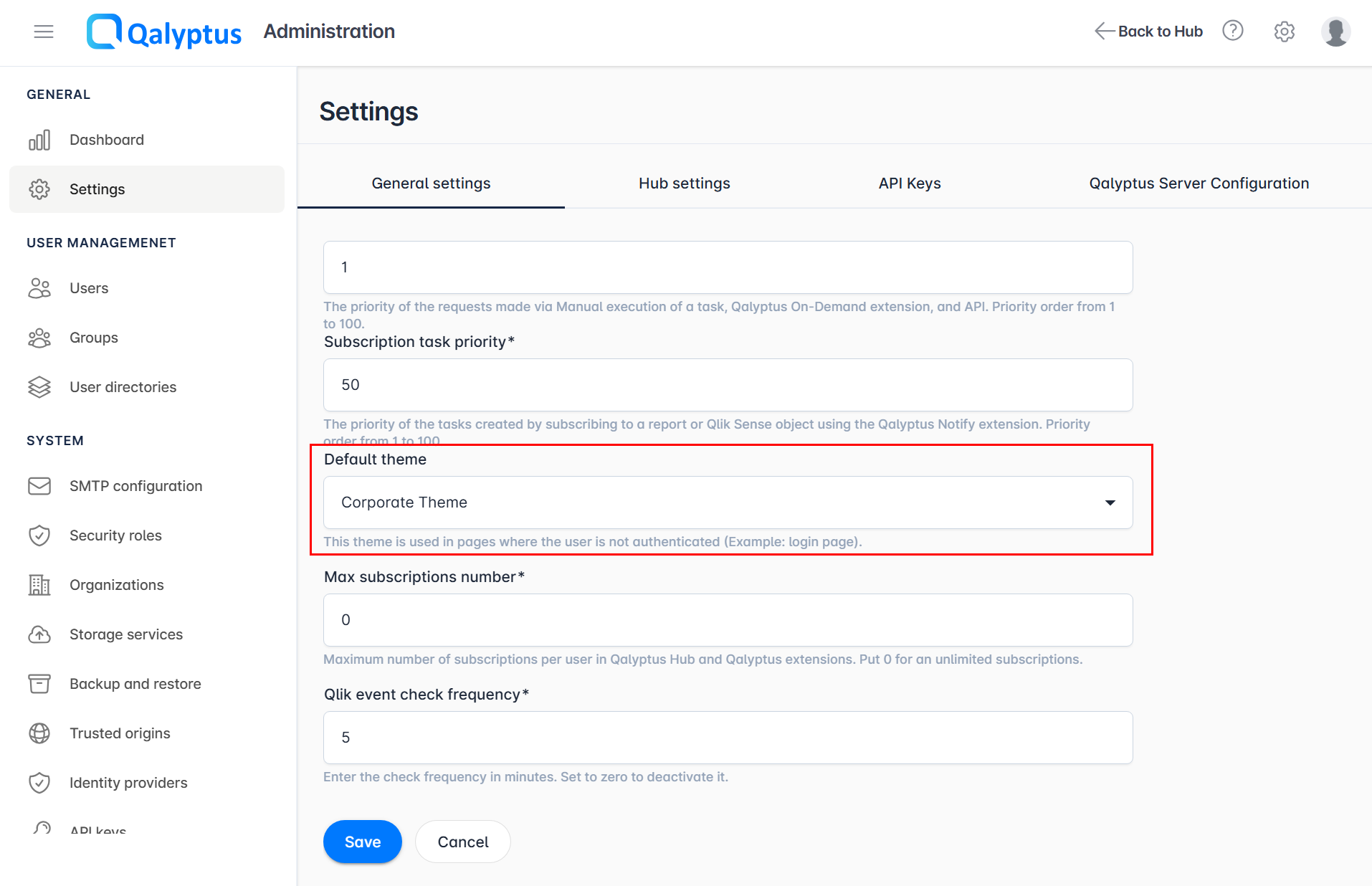
Public pages (such as the login page) are shared across all organizations. To control their appearance, set a Default Theme:
- Go to Administration > General > Settings
- Change the Default Theme
- Click Save
Result
Once applied, Qalyptus Hub reflects the configured colors and logo for each organization.