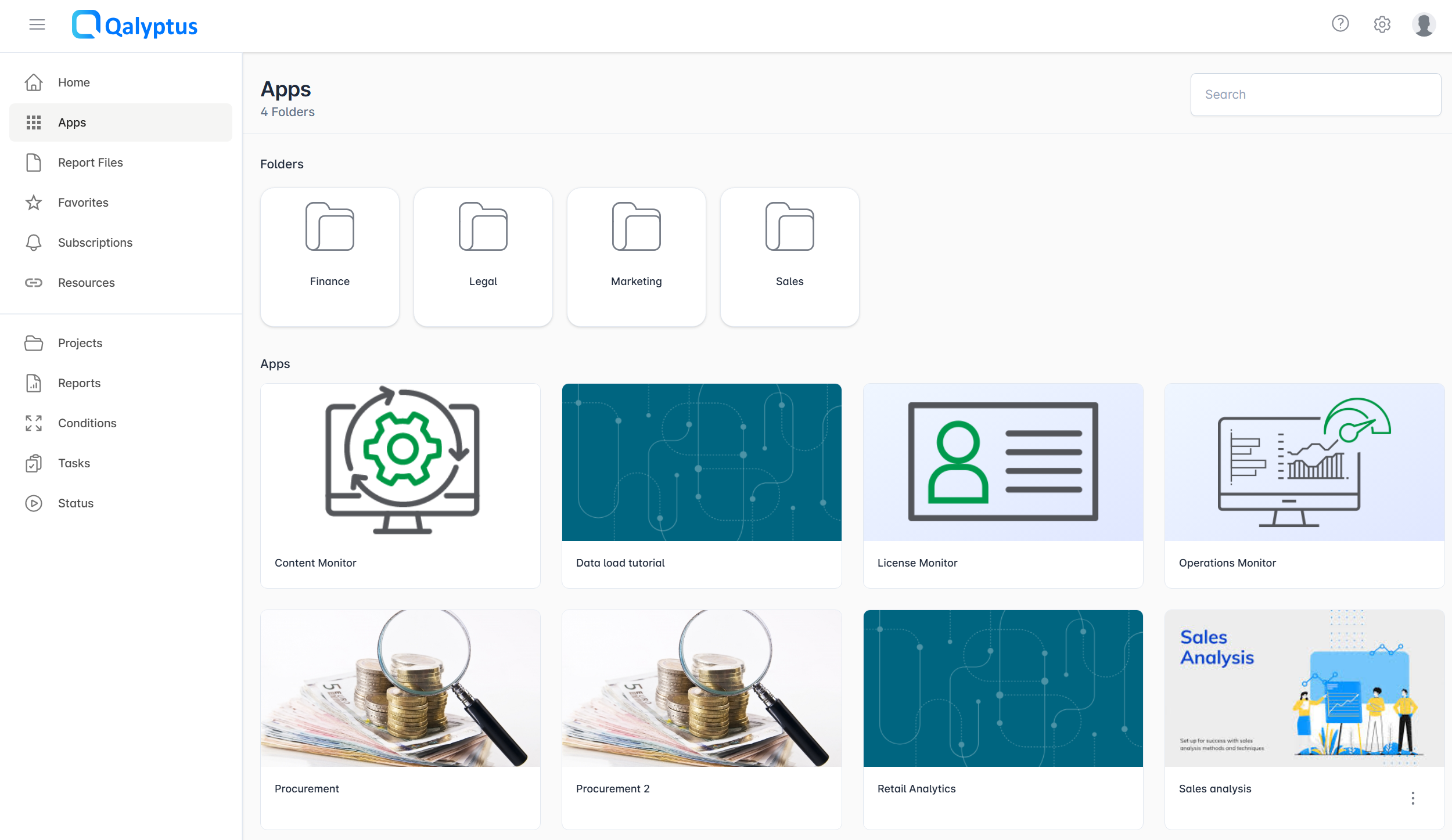
Hub Folders
Folders allow you to organize Qlik Sense applications in Qalyptus Hub into a logical hierarchy. When applications are synchronized from Qlik Sense, they can be placed into folders and subfolders for a structured and intuitive user experience.
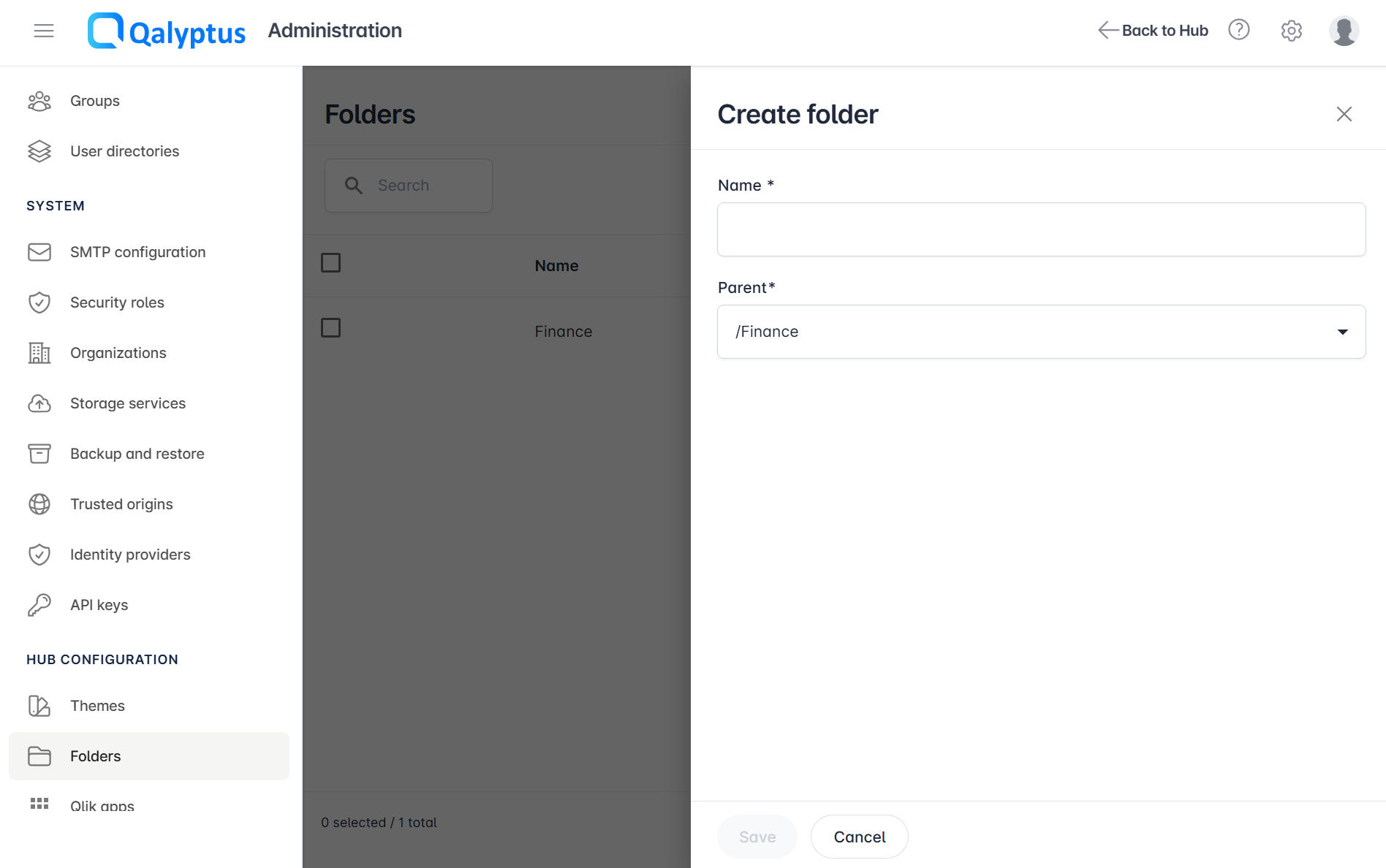
Creating a Folder
- Connect to Qalyptus Server
- Go to Administration > Hub Configuration > Folders
- Click Create folder
- Enter the folder Name
- Choose a Parent folder (select
/to place it at the root level) - Click Save
Moving an Application to a Folder
When an app is synchronized to Qalyptus Hub, it is placed in the default folder defined in the synchronization settings. To move it to a different folder:
- Go to Administration > Hub Configuration > Qlik apps > Apps
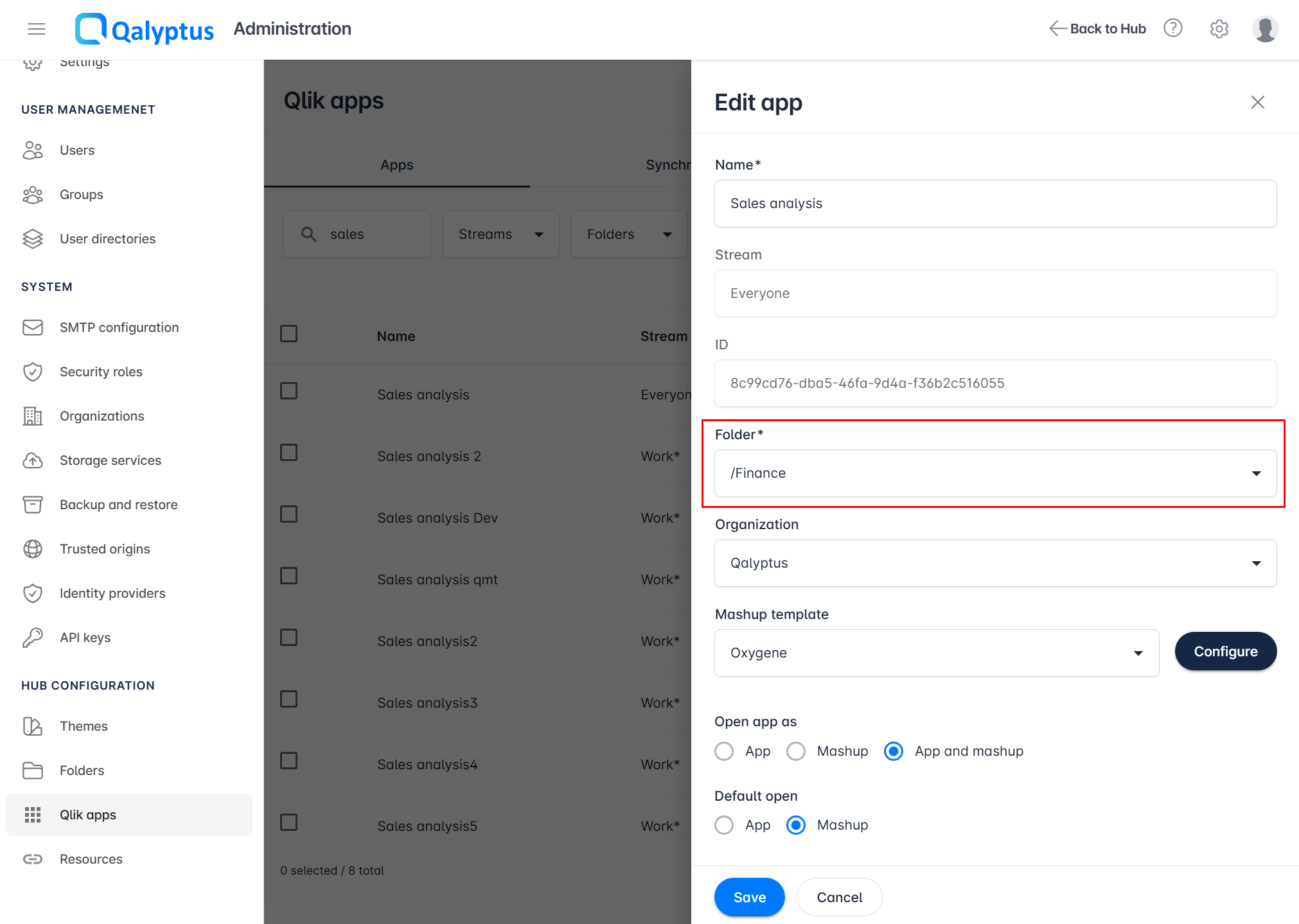
- Edit the app you want to move
- Select the new Folder
- Click Save
The application will appear in the selected folder in Qalyptus Hub.
Folder Structure in Qalyptus Hub
In Qalyptus Hub, all apps in the root folder (/) and folders with a parent is the root folder, will appear at the top Apps level.