API Keys
API Keys provide secure authentication for accessing Qalyptus Server REST APIs. This feature allows users to generate time-limited tokens for programmatic access to Qalyptus functionality while maintaining proper security controls and administrative oversight.
Overview
API Keys enable:
- Secure API Authentication: Token-based access to REST endpoints
- Programmatic Integration: Automated workflows and third-party integrations
- Controlled Access: Time-limited tokens with configurable expiration
- Administrative Oversight: Centralized management and monitoring of all API keys
API keys provide full access equivalent to the user's permissions. Treat them as passwords and store them securely.
Enabling API Keys
By default, API key functionality is disabled for security reasons.
To enable API keys:
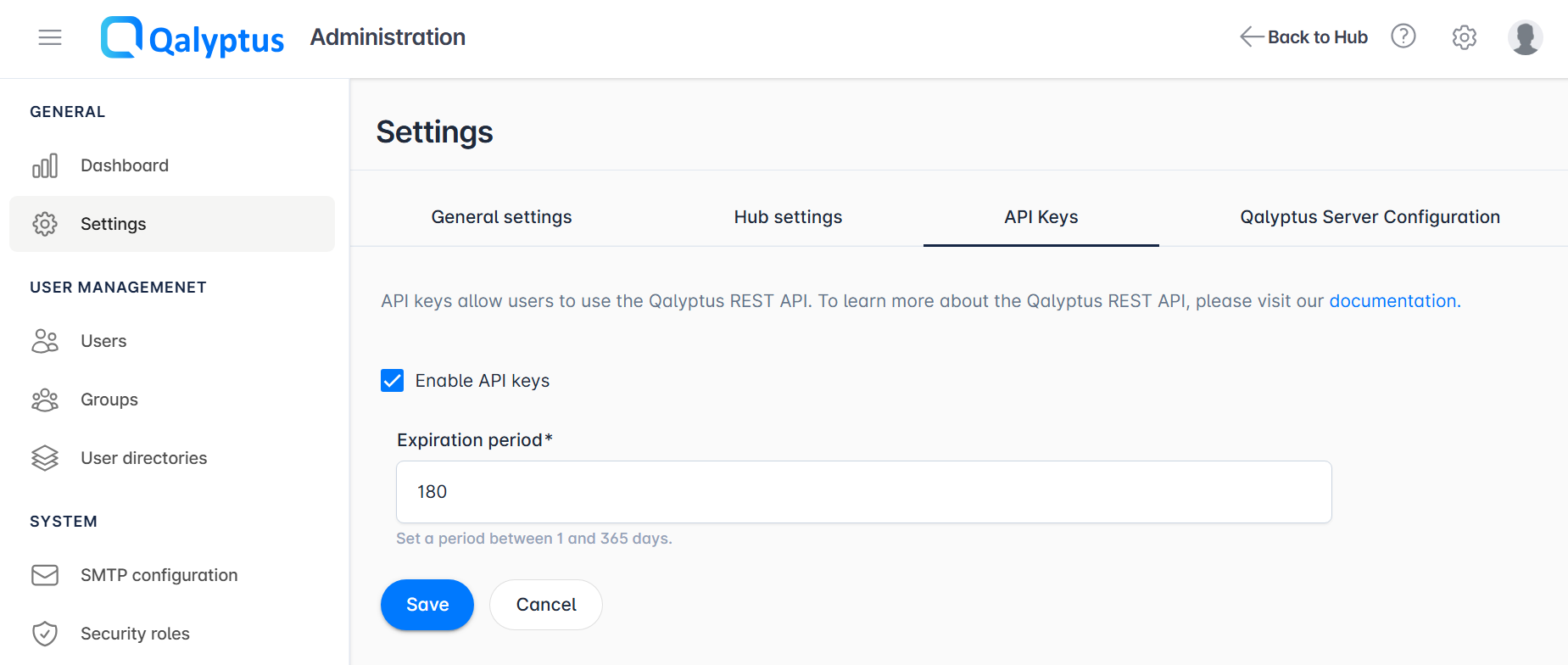
- Navigate to Administration > Settings > API Keys
- Enable the API Keys option
- Configure the Expiration Period (1-365 days, default: 180 days)
- Save the configuration
Even when API keys are enabled globally, users must have the appropriate permission role to generate and use API keys.
Configuration Settings
Expiration Period
Sets the maximum lifetime for newly generated API keys.
Options:
- Range: 1-365 days
- Default: 180 days
- Recommendation: 30-90 days for enhanced security
Shorter expiration periods reduce security risks but require more frequent key rotation. Balance security with operational needs.
User API Key Management
Accessing API Keys
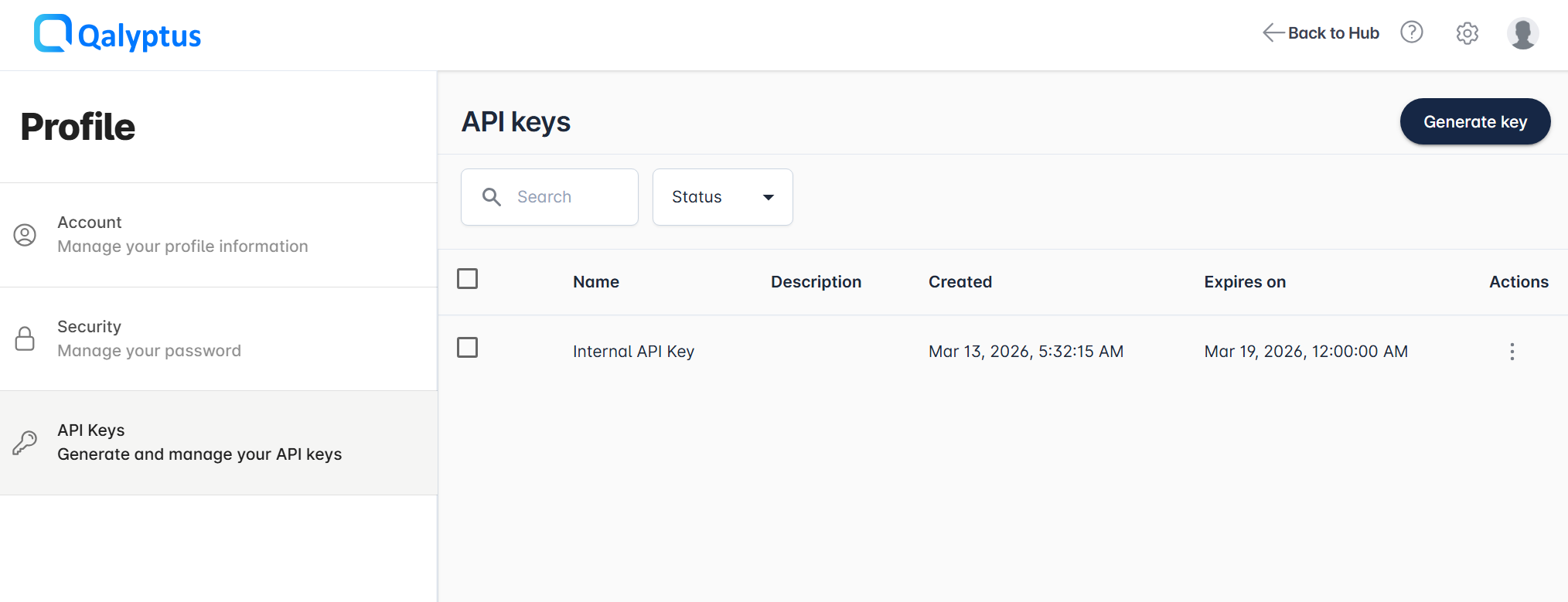
Users can manage their API keys through: User Profile > API Keys
The API Keys section only appears in user profiles when the feature is enabled by administrators.
Generating an API Key
To create a new API key:
- Click Generate Key
- Enter a descriptive name for the key
- Add an optional description for context
- Select an expiration date (within the configured limit)
- Copy and securely store the generated key
The API key is displayed only once. Copy and store it immediately in a secure location. It cannot be retrieved again.
Managing Existing Keys
After generation, users can:
- Update name and description of existing keys
- View expiration dates and creation information
- Expiration dates cannot be extended after creation
- Maximum of 1000 API keys per user
- Keys cannot be regenerated or recovered if lost
Administrator Management
Viewing All API Keys
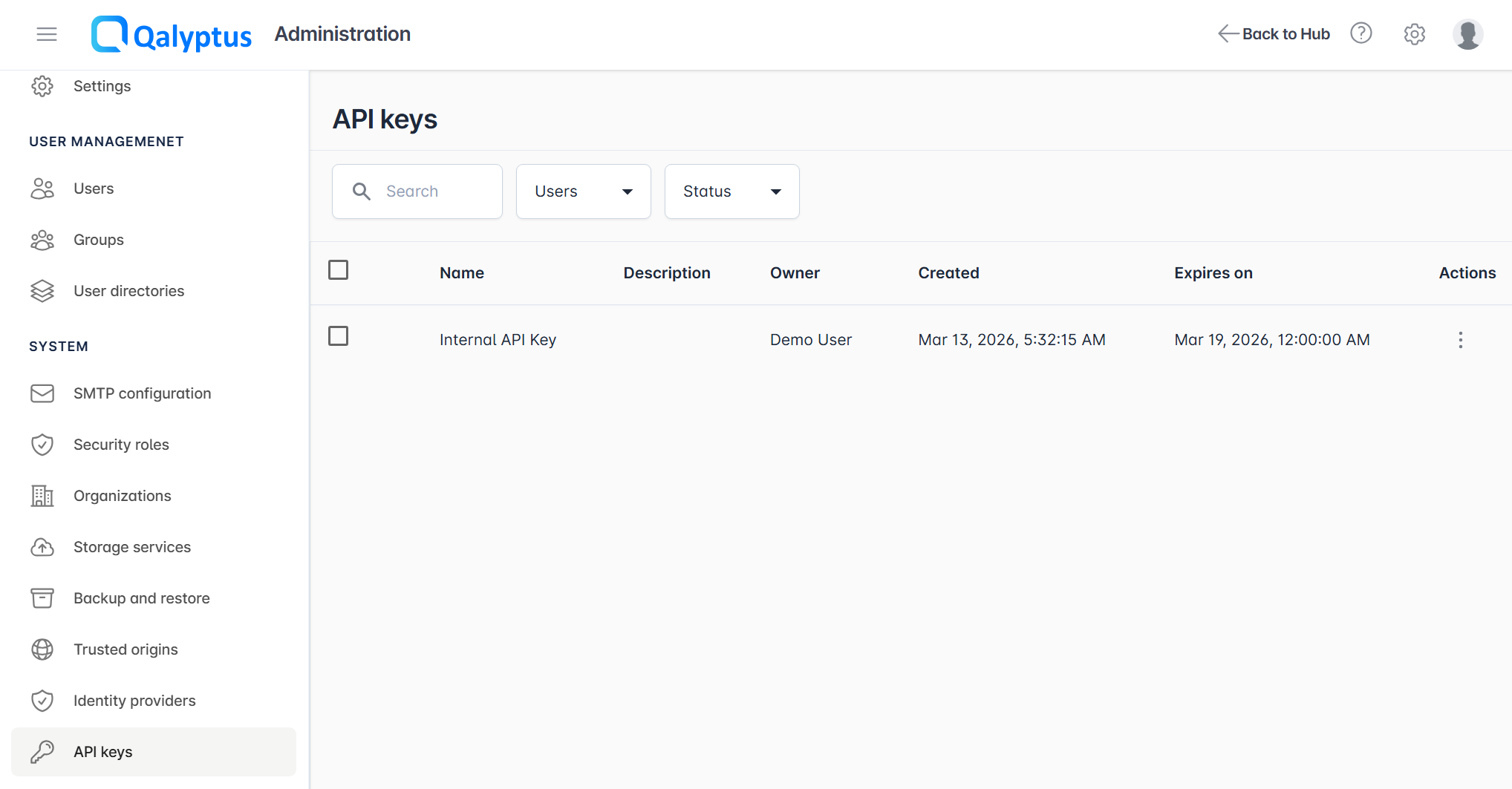
Administrators can monitor all user API keys through: Administration > System > API Keys
Available Information
- Key owner and user details
- Creation date and expiration
- Key status
- Administrative actions (delete/revoke)
Administrative Actions
Revoking API Keys:
- Administrators can delete any API key to immediately revoke access
- Useful for security incidents or user departures
- Action is immediate and cannot be undone
Security Best Practices
For Users
- Secure Storage: Store API keys in password managers or secure credential stores
- Limited Scope: Generate separate keys for different applications or purposes
- Regular Rotation: Replace keys before expiration, especially for critical applications
- Monitor Usage: Regularly review active keys and remove unused ones
For Administrators
- Short Expiration Periods: Configure reasonable expiration limits (30-90 days)
- Regular Audits: Monitor API key usage and remove inactive keys
- Permission Controls: Ensure only authorized users have API key generation permissions
- Incident Response: Establish procedures for immediate key revocation if compromised
Troubleshooting
API Key Not Working
- Verify the key hasn't expired
- Check user permissions for API access
- Confirm API keys are enabled globally
- Validate the key format and authentication method
Cannot Generate Keys
- Ensure API keys are enabled by administrators
- Verify user has appropriate permission roles
- Check if user has reached the 1000 key limit
- Confirm selected expiration date is within policy limits