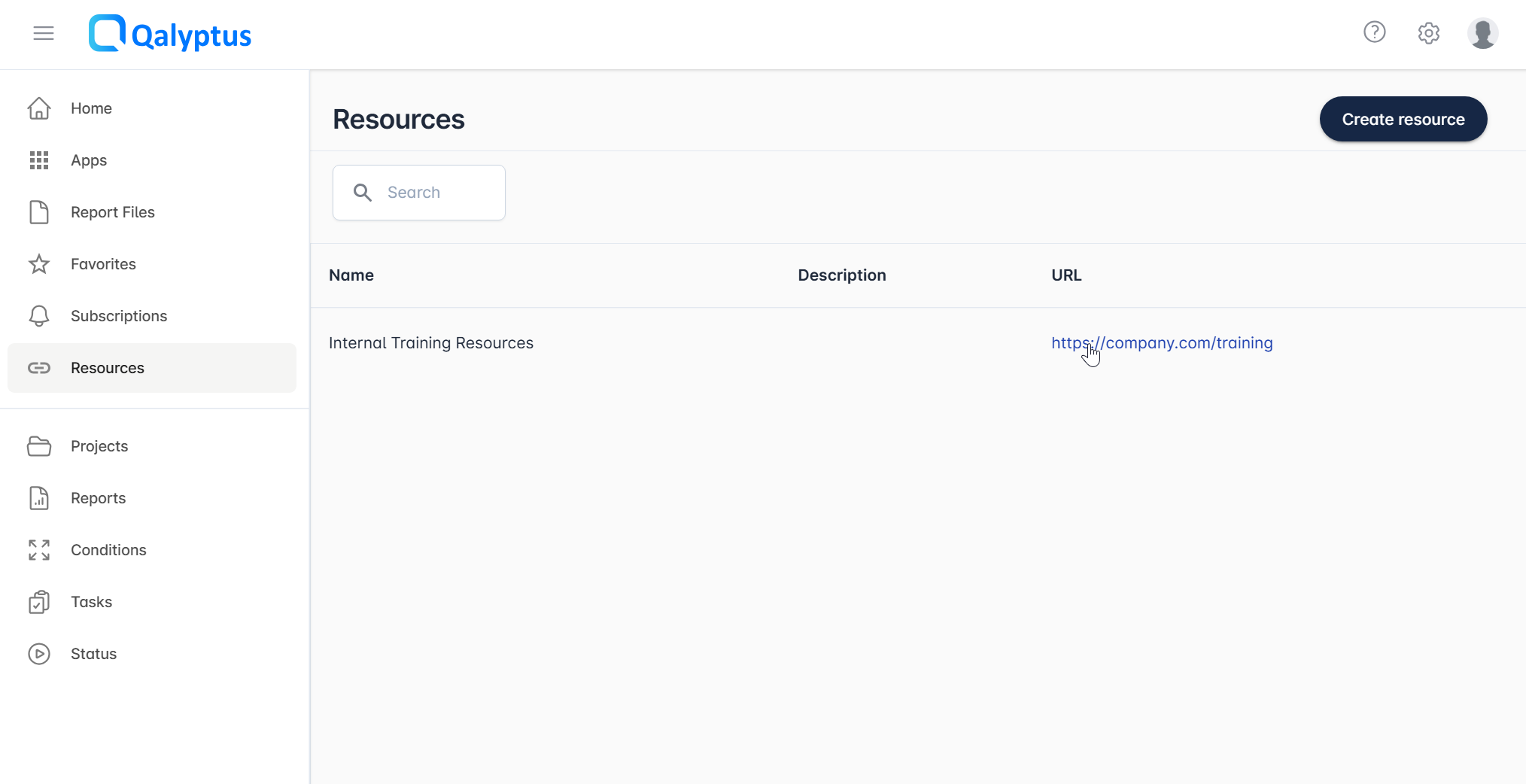
Hub Resources
Besides Qlik Sense applications and reports, Qalyptus Hub can display links to external resources, such as web pages, SharePoint documents, or other online content, giving users a single access point for all their analytics assets.
A resource is any valid URL (http:// or https://). When multiple organizations are configured, each resource is assigned to a specific organization and is only visible to its members.
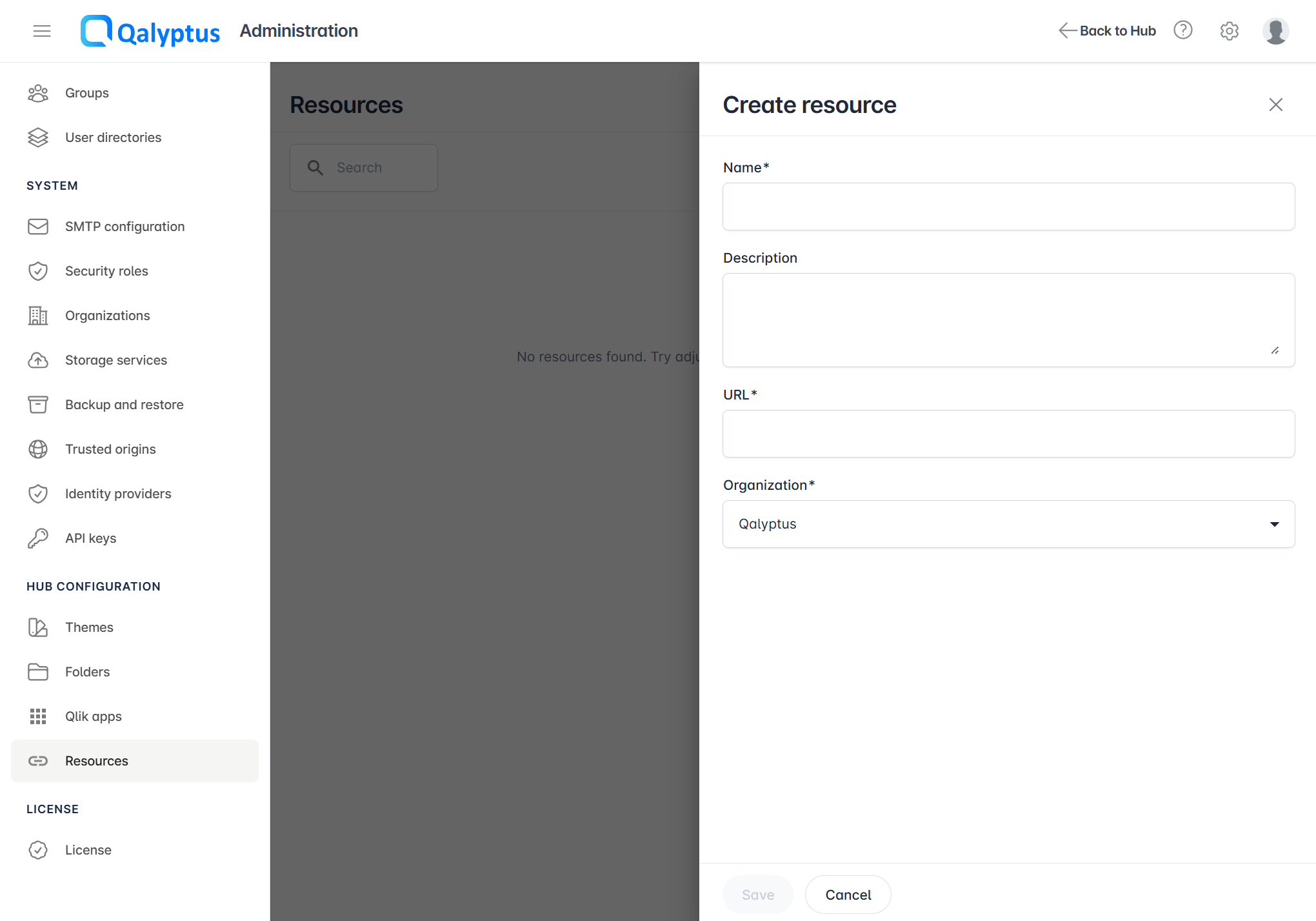
Creating a Resource
- Navigate to Administration > Hub Configuration > Resources
- Click Create Resource
- Fill in the following fields:
- Name: A display name for the resource
- Description: Optional context or details
- Link: A valid URL (must begin with
http://orhttps://) - Organization: Select the target organization (when using multi-organization setups)
- Click Save
The resource will then be visible to authorized users directly in Qalyptus Hub.