Organization management
Separate users and content per organization
Organizations in Qalyptus Server provide multi-tenant capabilities for separating users, content, branding, and authentication methods. This Enterprise feature enables flexible deployment scenarios for subsidiaries, customer-facing applications, and managed service providers.
Enterprise Feature
Multi-organization support is available exclusively in Qalyptus Server Enterprise edition.
Organization benefits
Complete separation
- User Isolation: Members, groups, and access controls per organization
- Content Separation: Projects, reports, tasks, and resources remain organization-specific
- Authentication Independence: Different login methods per organization
- Custom Branding: Unique themes, logos, and visual identity
Flexible deployment scenarios
Multi-subsidiary operations
- Separate organizations for each subsidiary or business unit
- Independent branding with subsidiary logos and colors
- Isolated content ensuring data separation between entities
- Subsidiary-specific user management and access control
Customer-facing applications
- Separate employee and customer organizations
- Different authentication methods (LDAP for employees, SAML for customers)
- Custom branding per customer or user type
- Controlled content access based on relationship
Managed service provider (MSP) model
- Individual organizations for each client
- White-label branding with client-specific themes
- Complete content isolation between customers
- Centralized management with distributed access
OEM partner solutions
- Embedded Qalyptus with partner branding
- Isolated customer environments
- Integrated experience with Qlik Sense apps and reports
- Scalable multi-tenant architecture
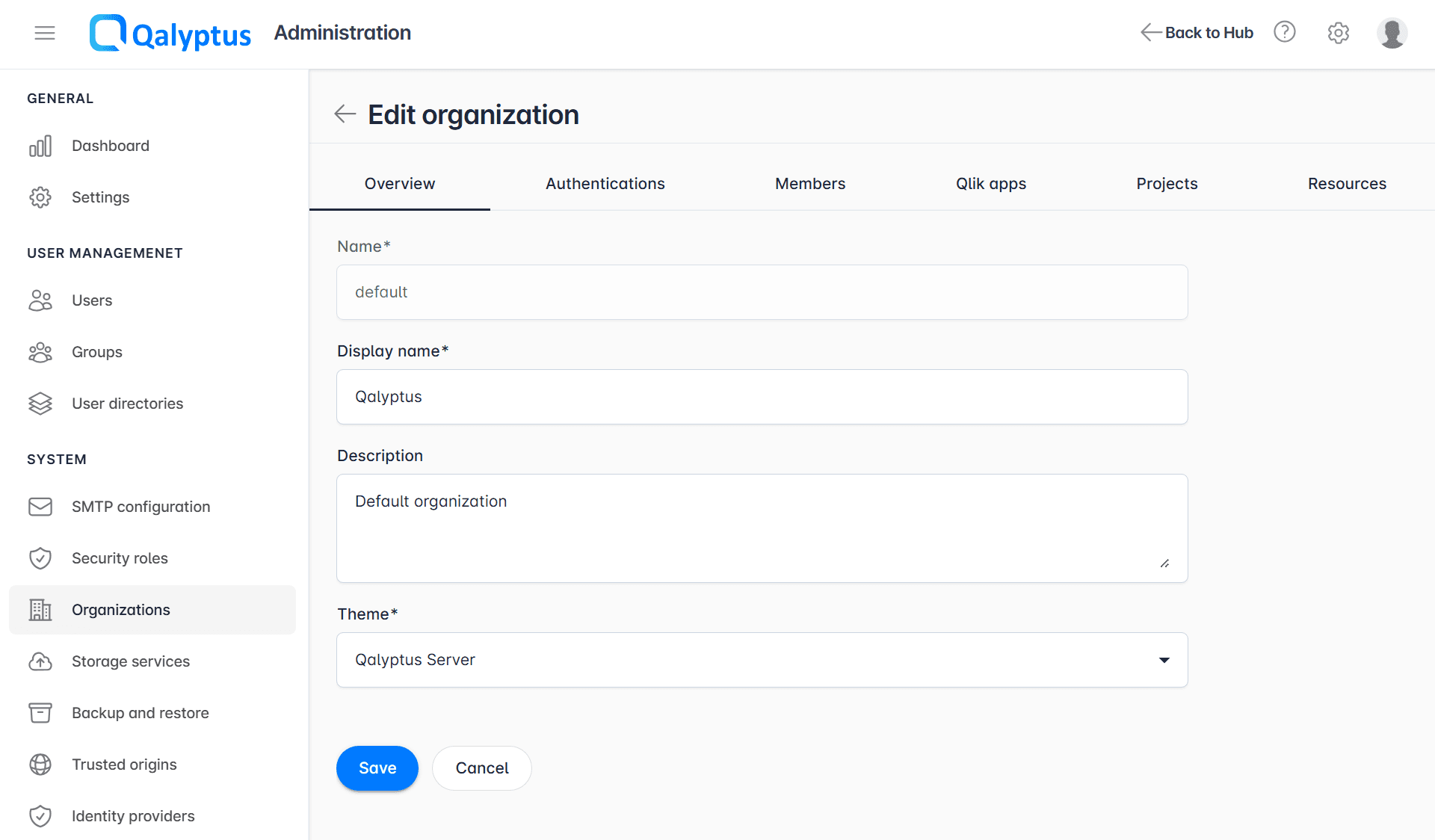
Organization configuration
To manage organizations, navigate to Administration > System > Organization.
Basic settings
- Display Name: User-facing organization name
- Theme: Visual branding and customization
- Authentication Methods: Supported login types
- Qlik Sense Integration: Associated Qlik Sense apps
Organization components
- Theme: Organization custom theme
- Authentication methods: Authentication methods for the organization members
- Members: Users and groups
- Qlik Sense apps: Associated Qlik Sense applications
- Projects: Associated projects
- Resources: Links to assets
Authentication configuration
Supported methods per organization:
- Qalyptus Authentication: Email and password-based login
- Windows Authentication: Domain-based authentication
- Identity Providers: SAML-based single sign-on
Authentication Flexibility
Organizations can support multiple authentication methods simultaneously, allowing different user types to access the same organization through their preferred method.
Default organization
- Name: "default" (system identifier)
- Display Name: "Qalyptus Server" (user-facing name)
- Cannot be Deleted: Permanent system organization
- Fallback Organization: Used when no specific organization is specified
Content Isolation
Organizations provide complete content separation. Users in one organization cannot access projects, reports, or resources from another organization without explicit cross-organization permissions.