Save reports using FTP/SFTP
Connect FTP or SFTP servers to store report files
This section will show how to configure an FTP/SFTP service in Qalyptus Cloud.
1. Configure an FTP or SFTP service
To configure an FTP or SFTP service, follow the steps below:
- Connect to Qalyptus Cloud.
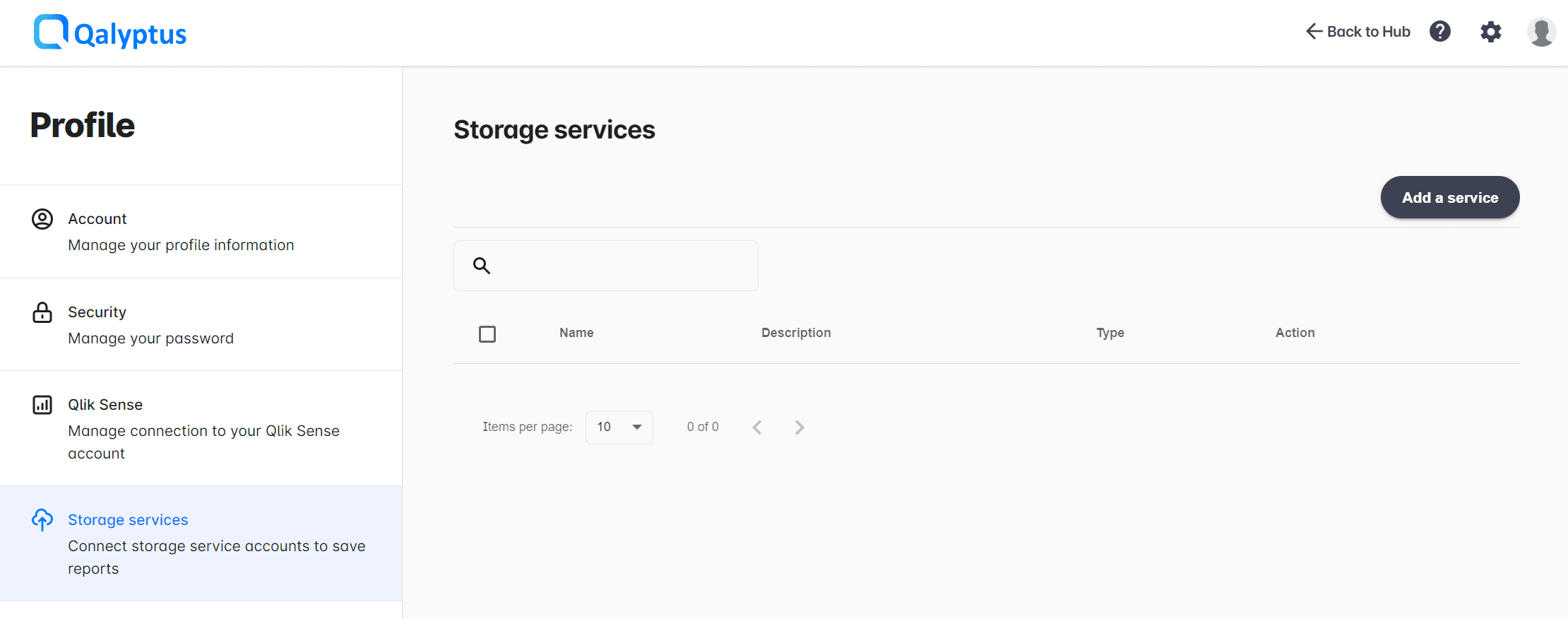
- Go to Your profile > Storage Services.
- Click Add a service.
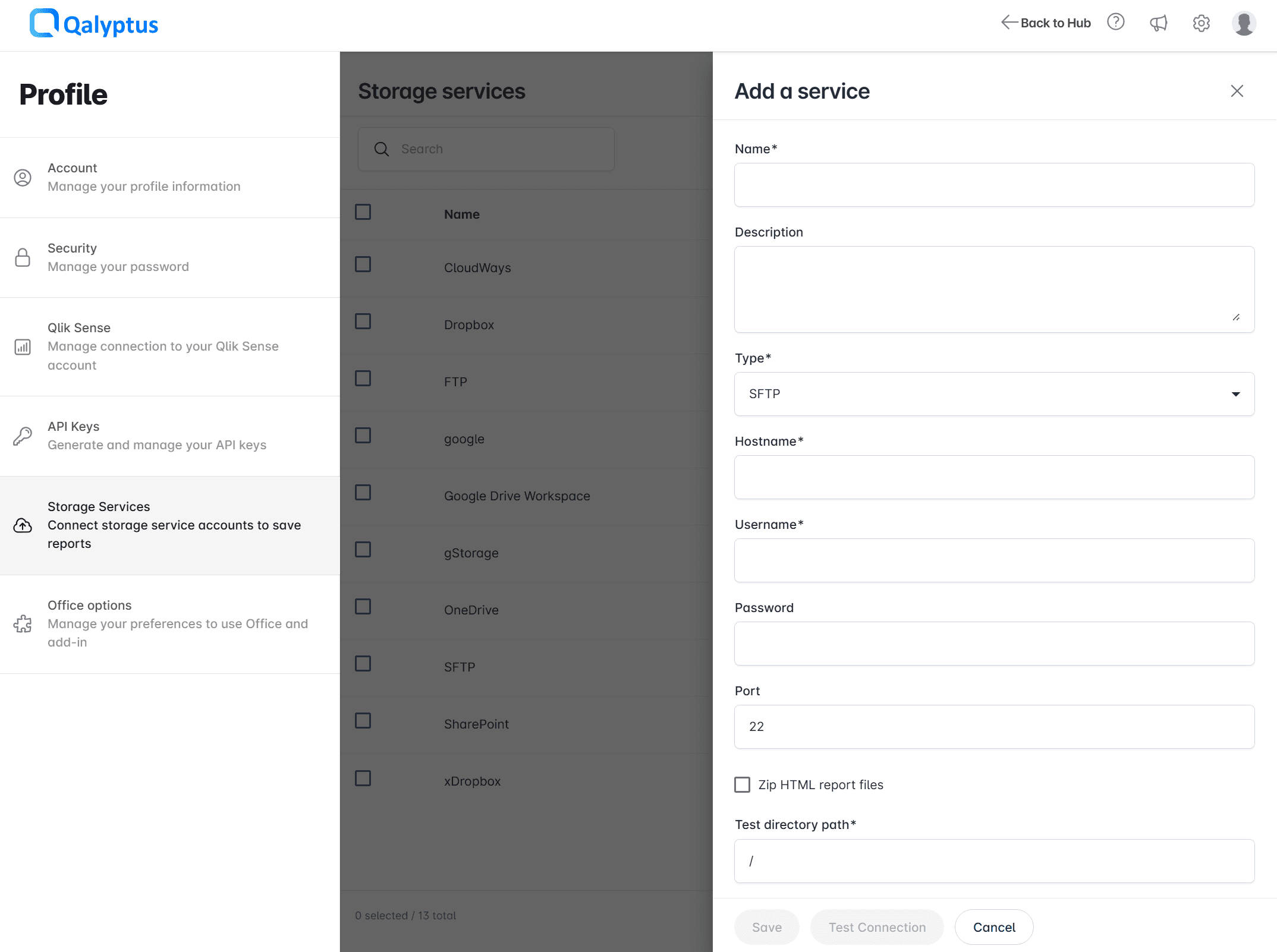
- Complete the information in the following fields:
- Name: Enter the name of the service.
- Description: Enter a description for the service (optional).
- Type: Choose FTP or SFTP.
- Hostname: Enter the hostname of your FTP/SFTP server.
- Username: Enter the username of the FTP/SFTP user.
- Password: Enter the password of the FTP/SFTP user.
- Port: Enter the SFTP port. The default port is 22.
- Test directory path: Enter the directory where we will upload a sample file to test the connection. Use '/' for the root path.
- Passive Mode: This option is available only for FTP. Check this box if you want to use passive mode.
- Zip files: Check this box to compress the report files in a ZIP archive when they are saved to the server. Leave the box unchecked to store the report files as they are, without compression.
- Click Test Connection to verify access to the service.
- Click Save.
Storage services created before this option was introduced keep the previous behavior: their report files continue to be saved as ZIP archives. Uncheck Zip files if you want to store the files without compression.
2. Use the service to save reports
After connecting the storage service to Qalyptus, you can use the service to store report files generated by a task in your remote server.
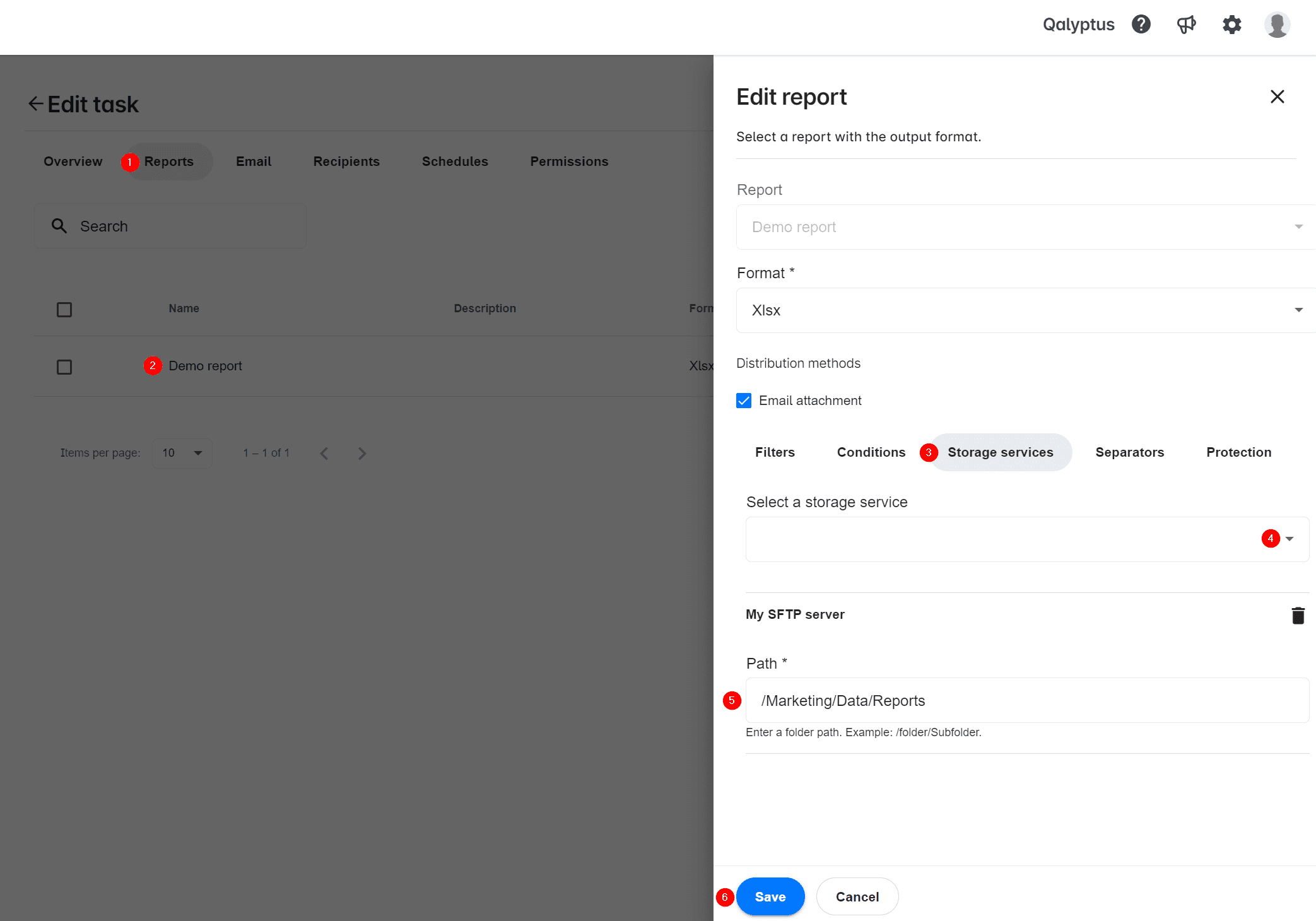
- On the Tasks page, create or edit a task.
- Go to the Reports tab.
- Add a new report or edit an existing one.
- Click on the Storage services tab.
- Select the storage service from the list.
- Enter the path to the folder where you want to save the report files. The path must start with '/' like the following: /folder/subfolder/subfolder-n.
- Click Save.
You can save the same report to multiple locations within the same service.
You can save the same report to multiple storage services (for example, SFTP and SharePoint).