Organizations
Separate users and content across organizations
Availability: Qalyptus Cloud Enterprise
This feature brings a lot of flexibility to the management of your users and content in Qalyptus. You can create several organizations to separate the users and the content (projects, reports, tasks, resources, Qlik Sense apps). Each organization will have its members, content, authentication type, and theme.
You can imagine different scenarios when you need to have several organizations.
- When you have different subsidiaries. Create an organization for each subsidiary; separate members, the content, and the theme (each subsidiary with its logo and colors). When a user of subsidiary A creates a task, they can only use the reports and the recipients in subsidiary A.
- When you manage apps and reports for employees and customers. Create two organizations; separate the content, the members, and the authentication method (Example: LDAP authentication for employees and SAML authentication for customers)
- You are a Qlik OEM or MSP (Managed Service Provider) partner. Separate your customer's content and apply your brand. You will offer an amazing experience to the users; they will find in one place their apps, mashups, reports, resources, subscriptions to reports, etc.
- Many other scenarios can be imagined depending on your industry and the needs of your business.
Default organization
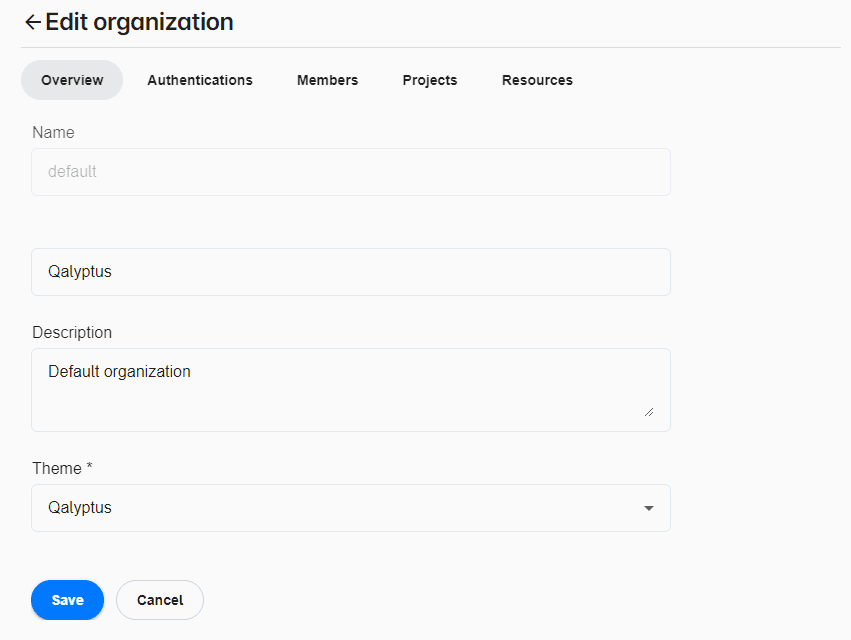
Qalyptus has a default organization named default (and display name: Qalyptus). If you maintain a single-organization environment on Qalyptus, this becomes the organization you work with. If you add organizations, the default organization becomes one of the organizations you can manage.
The default organization cannot be deleted.
Authentication
Each organization has its authentication method. You can use the Qalyptus authentication system or an Identity Provider.
After configuring your Identity Provider (IdP), you can choose the IdP to use for this organization.
Change organization
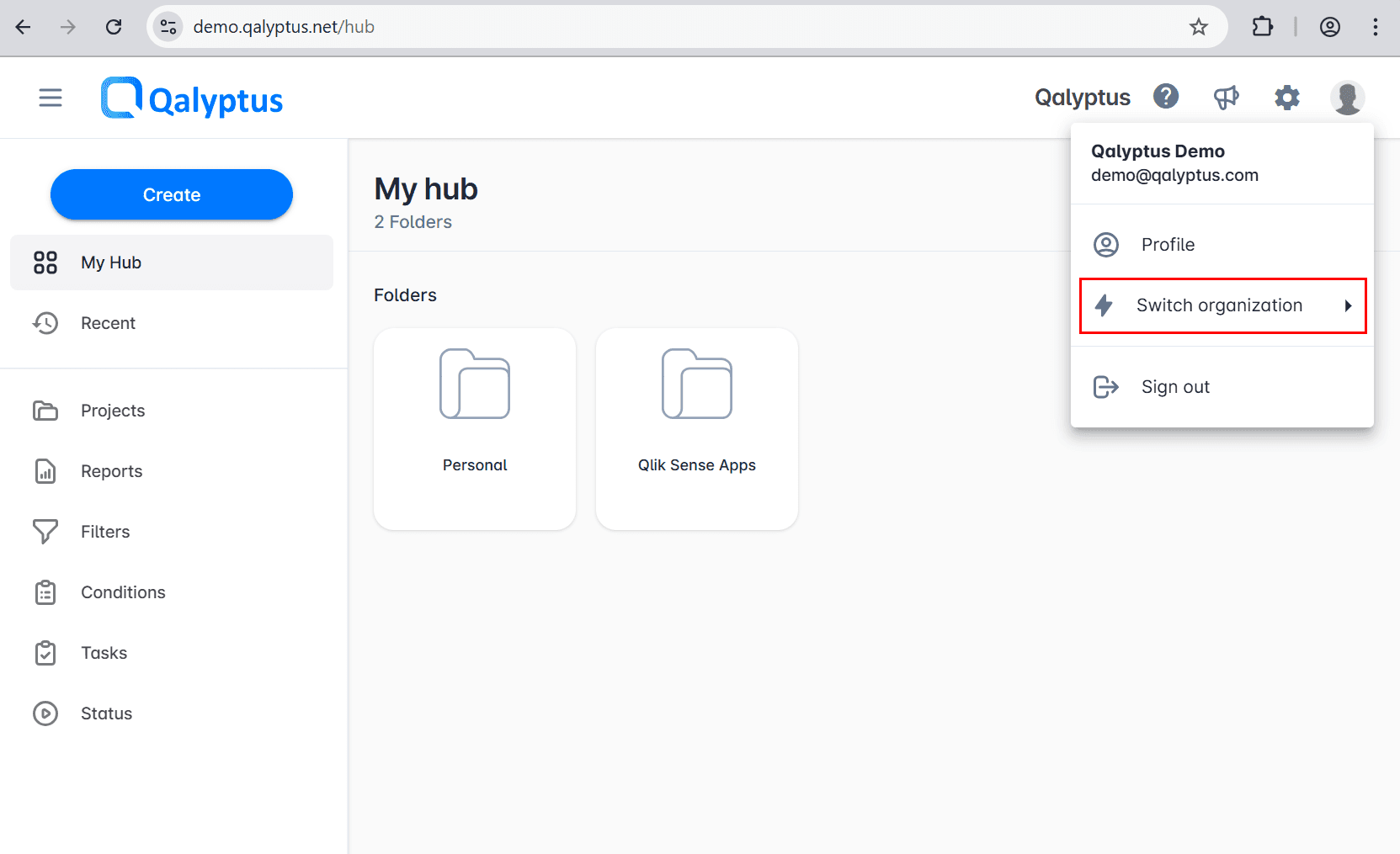
If a user is a member of multiple organizations, they can switch from one organization to another to access the content of the organization. To switch to another organization, do the following:
- Click on your avatar at the top right.
- A button Switch organization will appear if you have access to multiple organizations.
- Select the organization to switch to.
- The page will reload and you will be redirected to the home page.